Tutorials
Learning Tools In Word
Learning Tools in Word 2016 are intended to help you improve your reading skills by boosting your ability to pronounce words correctly, to read quickly and accurately, and to understand what you read.
Learning Tools are hidden on the View tab:

Clicking on it opens up the Learning Tools tab, which offers a few commands you might not have seen before:

Note, first of all, the big red cross at the right of the tab, used for closing Learning Tools.
Each command is self explanatory, but we’ll explore each one briefly anyway:
- Column Width – lines of text with a high number of words can be difficult to read, so reducing the column width with this command can help you focus on the word you are currently trying to read.
- Page Colour – you can choose a page colour of none (no change), sepia (pale yellow page with a print feel) or inverse (white text on a black background). I’ve never met anyone who doesn’t detest reading white text on a black background, but knock yourself out if you are one of the few. If you are trying to improve your reading skills, why not stick needles in your eyes to make it even harder?
- Text Spacing – increases the spacing between words, characters, and lines. This can help you to scan text more easily. The command works as a toggle so click the button again to return to the original spacing.
- Syllables – breaks up the syllables in a word by placing a dot between each one.
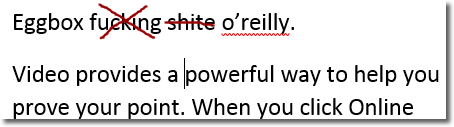
- Read Aloud – if you like to listen to a stilted, mechanical voice reading your document aloud, Read Aloud is the command for you. Naturally, the first task is to see whether Word 2016 will read swear words aloud. It does!
To close down Learning Tools (you probably should never have opened them in the first place), click on the big red ‘X’.
If you were trying to improve your reading, you probably would not choose to do it in Microsoft Word. Similarly, I doubt that the urge to improve your reading skills would ever overcome you while you were frantically trying to digest a Word document for work.